
Blog
Smart Home Integration Guide

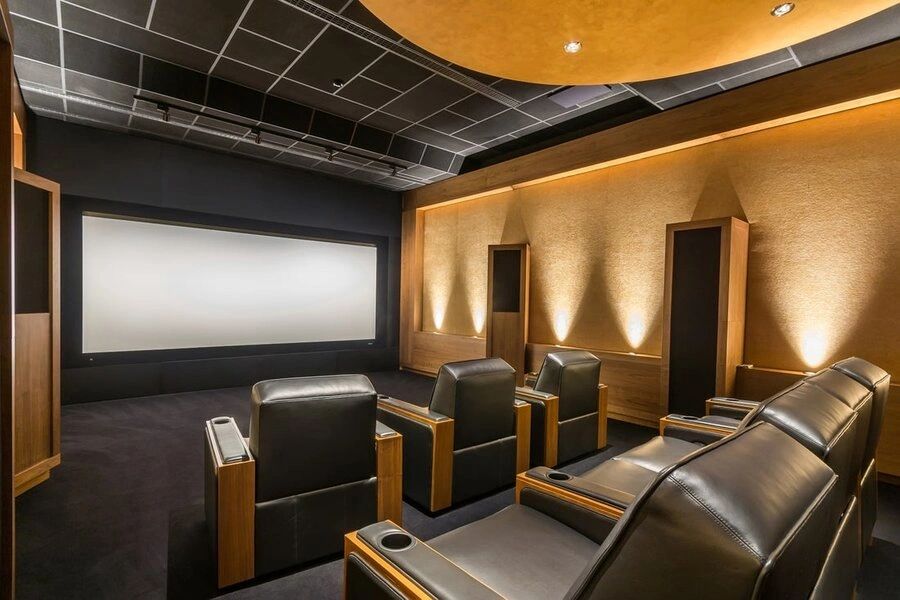
Bring the Cinema Home—Effortlessly
Imagine starting your movie night with a single voice command: lights dim, shades lower, your 4K OLED fires up, and surround sound immerses you in crystal-clear audio—all without touching a remote. This seamless experience isn’t reserved for luxury estates in cities like Austin, Denver, or Tampa—it’s within reach for any homeowner looking to integrate their home theater with smart home technology.
Smart home integration transforms your entertainment space from a collection of devices into a unified, intuitive system. Instead of juggling multiple apps and remotes, you gain centralized control through platforms like Apple HomeKit, Google Assistant, or Alexa-enabled hubs. Whether you’re firing up a game night, hosting a family movie marathon, or winding down with ambient soundscapes, automation simplifies every step.
You’ll discover how to sync lighting scenes with viewing modes, automate HVAC settings for ideal comfort during long screenings, and use occupancy sensors to power down equipment when the room is empty—boosting both convenience and energy efficiency.
In this guide, you’ll learn how to:
- Connect your AV receiver, projector, or soundbar to your smart home network
- Create custom scenes that adjust lights, temperature, and audio with one tap
- Eliminate clutter with stealthy in-wall controls and wireless integration
- Future-proof your setup with scalable protocols like Zigbee, Z-Wave, or Wi-Fi 6
No more tech headaches—just effortless, cinematic moments powered by smart automation.
Control Your Home Theater with Voice: A Step-by-Step Smart Assistant Setup
Bring convenience and futuristic control to your entertainment system by integrating your AV equipment with smart assistants like Alexa or Google Assistant. With voice commands, you can power on devices, adjust volume, switch inputs, and dim the lights—no remotes required. Here’s how to connect your system step by step.
Ensure Your Devices Are Compatible
Verify that your AV receiver, soundbar, streaming box, or TV supports smart assistant integration. Look for built-in Wi-Fi, Bluetooth, or compatibility with platforms like Amazon Echo or Google Home. Most modern units list this in the settings under “Network” or “Smart Control.”Connect Devices to Your Home Network
Use Ethernet or stable 5GHz Wi-Fi to connect all components. A strong, reliable connection prevents voice response delays and ensures smooth communication between devices.Install and Open the Companion App
Download the app for your smart assistant (Alexa or Google Home). Sign in and ensure your phone is on the same network as your AV gear.Link Your AV Equipment
In the app, go to “Devices” > “+ Add Device” and select your brand (e.g., Denon, Sony, Samsung). Follow the prompts to pair the device. The app will guide you through authentication and network discovery.Test Voice Commands
Once linked, try simple commands like “Alexa, turn on the receiver,” or “Hey Google, set volume to 30 on the soundbar.” Customize device names in the app for easier recognition (e.g., “Living Room Theater”).
Pro Tip: Use routines to trigger multiple actions—say, “Movie Time”—which can power on your TV, switch to HDMI 2, and dim the lights automatically. This integration works seamlessly in homes across cities like Austin, Denver, and Tampa, where smart living is on the rise.
Create Immersive Smart Home Scenes in 3 Simple Steps
Transform your living space into a fully synchronized smart home environment by integrating lighting, climate, and audio-visual systems through automated scenes. These intelligent routines enhance convenience, energy efficiency, and entertainment quality—perfect for homeowners in cities like Austin, Denver, and Tampa looking to upgrade their daily routines with seamless automation.
Map Your Devices and Define Triggers
Begin by identifying all connected devices: smart thermostats, motorized shades, ambient lighting zones, and AV equipment (TV, soundbar, or receiver). Use a central smart home hub or control system to unify them. Determine activation triggers—common ones include voice commands (“Movie Night”), time-based schedules, or device usage (e.g., turning on the TV).Build and Layer the Scene
In your automation app or control interface, create a new scene (e.g., “Evening Mode”) and configure each system:- Dim or turn off overhead and accent lights while activating under-cabinet or wall sconce lighting
- Lower motorized shades and set thermostat to a preferred evening temperature
- Power on AV system and route audio to surround speakers
Ensure commands are sequenced to avoid delays (e.g., lighting adjusts before video starts).
Test, Refine, and Automate
Run the scene multiple times to check synchronization. Adjust timing between device actions if lights dim too slowly or climate lags. Save variations for different times of day (e.g., “Good Morning” raises lights gradually and warms the room). Use geofencing to auto-activate scenes when arriving home.
For best results, use systems with native Z-Wave, Zigbee, or IP control to minimize latency. Always label device zones clearly so future modifications stay intuitive.
Ensure Rock-Solid Network Performance for Seamless Streaming
Streaming high-definition content without buffering or lag requires more than just fast internet—it demands smart network planning and bandwidth optimization. Whether you’re enjoying 4K movies, immersive Dolby Atmos audio, or live sports, your home network must efficiently prioritize traffic and maintain stability across multiple devices. Start by upgrading to a dual-band or tri-band Wi-Fi router that supports the latest 802.11ac or Wi-Fi 6 standards, ensuring stronger signals and reduced interference, especially in dense urban neighborhoods like those in Austin, Denver, and Tampa.
Position your router centrally and away from obstructions or competing electronics. For larger homes, consider a mesh Wi-Fi system to eliminate dead zones and maintain consistent coverage. Assign high-priority QoS (Quality of Service) settings on your router to favor media streaming devices—like smart TVs, media players, and game consoles—over less critical traffic such as background updates.
Use wired Ethernet connections whenever possible, particularly for primary home theater components. Hardwiring reduces latency, improves throughput, and ensures reliable performance during peak usage hours. Additionally, limit the number of concurrent streams and IoT devices competing for bandwidth during movie nights.
Finally, monitor your network health regularly, reboot routers when performance drops, and ensure firmware is up to date. A well-managed network is the invisible foundation of a flawless home theater experience.
Bridging the Gap: Integrating Legacy AV Gear with Smart Home Systems
Homeowners in cities like Austin, Denver, and Tampa are increasingly blending older, high-quality AV equipment with newer smart home platforms—but compatibility issues can quickly derail the experience. Outdated receivers, non-IP-enabled amplifiers, and analog-only components often lack native support for voice control, automation scenes, or app-based management, leading to fragmented operation and user frustration. The key to seamless integration lies in strategic translation between legacy hardware and modern protocols.
Start by identifying control methods supported by your existing gear—common options include IR, RS-232, and relay triggers. Then, introduce a universal smart home hub capable of translating digital commands (like those from Alexa, Google Home, or Apple HomeKit) into physical signals your older equipment understands. These hubs use IR blasters or serial communication to power on vintage receivers, switch inputs, or adjust volume as part of unified scenes like “Movie Night” or “Game Mode.”
For audio distribution, consider adding a modern AV receiver in tandem with your legacy amplifier, using zone outputs or preamp outs to maintain sound quality while gaining smart functionality. Alternatively, use IP-to-serial adapters to bring RS-232-controlled devices into a Wi-Fi-enabled ecosystem. Always label and map all connections during setup to simplify troubleshooting.
With proper bridging solutions, older AV components can coexist elegantly within a smart home framework—delivering both nostalgia-grade performance and cutting-edge convenience.
Your Smart Home & Home Theater FAQs, Answered
Integrating smart home technology with a premium home theater system brings convenience, performance, and value to modern homes—but it also raises important questions. Here’s what homeowners in cities like Austin, Denver, and Tampa are asking when planning their systems.
Are my smart home devices compatible with a high-end home theater setup?
Most modern AV components support standard smart home protocols like HDMI-CEC, IR control, and IP-based integration. Systems can sync with voice assistants and automation platforms, allowing seamless control of video, audio, lighting, and climate through a single interface.
How do I ensure my smart home theater is secure?
Security starts with strong network segmentation. Isolate AV and smart devices on a dedicated VLAN to prevent unauthorized access. Use WPA3 encryption, regularly update firmware, and disable remote access unless necessary.
What’s the real cost of integrating smart home and theater systems?
Total investment typically ranges from $5,000 to $20,000+, based on room size, equipment tier, and level of automation. Hidden costs like structured wiring, in-wall speakers, and calibration are essential for long-term performance.
Can I retrofit my existing space with smart home theater tech?
Yes—especially with wireless sensors, motorized shades, and surface-mount speakers. However, full in-wall installations benefit from early planning to conceal cabling and optimize speaker placement.
Is professional installation worth it?
Absolutely. Expert installers ensure correct wiring, accurate speaker calibration, and proper integration with automation platforms—avoiding common DIY pitfalls like signal interference or unbalanced audio.
Elevate Your Entertainment: What Comes Next
Integrating a smart home theater system delivers more than just stunning visuals and immersive sound—it enhances daily life through automation, convenience, and increased property value. By unifying audiovisual components with intelligent controls, homeowners in cities like Austin, Denver, and Tampa gain seamless access to cinematic experiences, energy-efficient lighting, and personalized settings that adapt to any occasion.
The journey doesn’t end with installation. To get the most from your investment, prioritize regular calibration to maintain audio clarity and picture precision, especially after room modifications or seasonal changes. Update firmware on AV receivers, projectors, and control systems to ensure compatibility with new formats like Dolby Atmos or 8K HDR. Consider scaling your ecosystem by adding motorized shading, in-wall speakers, or climate integration for total environmental control.
For those still planning their setup, start with a clear vision of your space and usage. Measure room dimensions, identify primary seating zones, and map cable pathways early. If tackling a retrofit, use structured wiring and in-wall conduit to support future upgrades.
While DIY solutions exist, professional evaluation ensures optimal performance and avoids costly rework. Certified specialists can fine-tune acoustic response, eliminate signal interference, and align every component to industry benchmarks.
Ready to bring it all together? Connect with a local home theater expert to review your layout, validate your equipment choices, and unlock the full potential of your smart entertainment space. Your ultimate viewing experience starts now.
