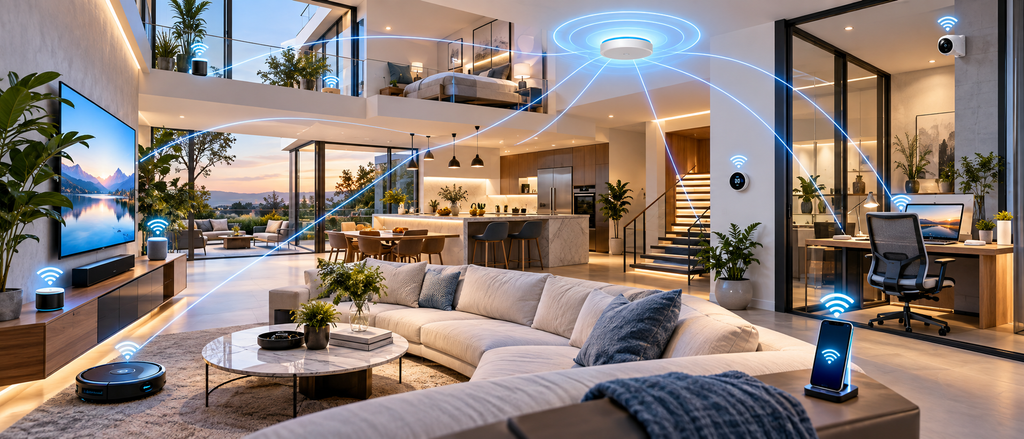
A strong Wi-Fi connection is no longer a luxury. It is something most homes and offices need every day. We use Wi-Fi for work, school, streaming, smart home devices, security cameras, video calls, gaming, and many other tasks.
But many people still face weak signals, dead zones, slow internet, and unstable connections. The internet plan may be fast, but the Wi-Fi inside the property may not be set up correctly.
That is where professional Wi-Fi installation can help.
At Home Cinema 4U, we provide complete Wi-Fi and networking solutions for homes and offices across New Jersey. Our goal is simple: give you strong, stable, and reliable coverage in every important area of your property.
You can learn more about our services on our Home Cinema 4U homepage or visit our dedicated Networking & Wi-Fi Services page.
Why Good Wi-Fi Matters Today
Almost every modern home now depends on Wi-Fi.
A family may have several phones, laptops, smart TVs, tablets, security cameras, speakers, gaming systems, and smart home devices connected at the same time.
An office can have even more devices. Employees may use laptops, printers, cloud software, video meeting systems, phones, security systems, and business apps all day.
If the Wi-Fi network is weak, many problems can happen.
You may notice:
- Slow video calls
- Buffering while streaming
- Weak signal in some rooms
- Internet dropping during work
- Security cameras going offline
- Smart devices not responding
- Slow file uploads and downloads
- Poor connection in outdoor areas
- Weak Wi-Fi on upper or lower floors
A proper Wi-Fi setup can help reduce these problems.
What Is Whole-Home Wi-Fi Installation?
Whole-home Wi-Fi installation means setting up a network that gives strong coverage across the entire house, not just near the router.
A single router may work well in a small space, but larger homes often need more planning.
Walls, floors, furniture, building materials, and the size of the home can all affect the Wi-Fi signal.
A professional setup may include:
- Proper router placement
- Multiple access points
- Wired network connections
- Ethernet backbones
- Mesh Wi-Fi systems
- Network switches
- Better device placement
- Signal testing
- Proper configuration
- Separate guest networks
- Better security settings
The goal is to make sure you can move from room to room without losing connection.
Wi-Fi Installation for Large Homes
Large homes can be difficult to cover with only one router.
You may have a strong connection in the living room but poor service upstairs, in the basement, garage, backyard, or home theater.
A whole-home Wi-Fi system can be planned around the size and layout of your property.
For example, access points can be placed in different areas of the home to improve coverage.
These access points can work together as one network.
This means you do not need to keep switching Wi-Fi names when you move around the house.
A well-planned network can also support smart home systems, security cameras, home theaters, and outdoor entertainment.
If you are also improving your home entertainment system, you can explore our recent Home Cinema 4U projects.
Wi-Fi for Smart Homes
Smart homes need more than basic internet.
Many smart home devices stay connected to the network all day.
These can include:
- Smart lighting
- Motorized shades
- Smart thermostats
- Doorbell cameras
- Security cameras
- Smart TVs
- Streaming devices
- Smart speakers
- Home automation controllers
- Outdoor entertainment systems
If the Wi-Fi is weak, these devices may respond slowly or stop working correctly.
A good network should be designed to support many connected devices at the same time.
This is especially important for homes that use advanced smart home technology.
Office Wi-Fi Installation in New Jersey
Businesses also need a strong and dependable network.
Poor office Wi-Fi can affect productivity.
Employees may lose time waiting for websites to load or reconnecting to online tools.
Video calls may freeze.
Large files may take too long to upload.
Cloud-based software may not work smoothly.
Professional office Wi-Fi installation can help create a better network for your team.
A business network may include:
- Wi-Fi access points
- Wired Ethernet connections
- Network switches
- Guest Wi-Fi
- Separate employee networks
- Printer connections
- Security camera networking
- Conference room connectivity
- Strong coverage across multiple rooms
A properly designed system can help employees stay connected throughout the office.
Why Wired Ethernet Is Still Important
Wi-Fi is useful, but wired Ethernet is still important.
Some devices perform better with a wired connection.
For example:
- Desktop computers
- Smart TVs
- Gaming systems
- Security camera systems
- Network storage devices
- Home theater equipment
- Business computers
- Video conferencing equipment
Ethernet connections can provide a stable connection without depending on wireless signal strength.
A strong network often uses both Wi-Fi and wired connections.
Wi-Fi gives flexibility, while Ethernet can provide a stable connection for important devices.
Access Points vs. Wi-Fi Extenders
Many people try to fix weak Wi-Fi by adding cheap extenders.
Sometimes extenders can help, but they may not be the best choice for a larger home or office.
A Wi-Fi extender repeats the existing signal.
If the original signal is already weak, the repeated signal may also be weak.
A professionally installed access point is different.
An access point is often connected to the main network with Ethernet.
This allows it to provide a stronger connection in another part of the property.
For large homes and offices, access points can provide better coverage and performance.
Better Wi-Fi for Home Theaters
Home theater systems use a lot of online services.
You may stream movies in 4K, use smart TVs, connect streaming devices, control your audio system through apps, or use smart home automation.
A weak network can cause:
- Video buffering
- Slow streaming
- App control problems
- Delays
- Device connection problems
A properly designed home network helps your entertainment system work more smoothly.
Home Cinema 4U works with home theater and smart home systems, so Wi-Fi can be planned as part of the full setup.
You can also view the brands we work with.
Wi-Fi for Security Cameras
Modern security cameras often depend on a network connection.
Some cameras use Wi-Fi, while others use wired connections.
If the network is unstable, camera feeds may freeze or become difficult to access.
Remote viewing may also become slow.
For a security system, a stable network is very important.
A professional network setup can help provide better connectivity for:
- Indoor cameras
- Outdoor cameras
- Doorbell cameras
- Driveway cameras
- Garage cameras
- Backyard cameras
The right setup depends on the size of the property and the number of cameras.
Common Wi-Fi Problems We Help Solve
Many homes and offices have similar networking problems.
One of the most common problems is a Wi-Fi dead zone.
This is an area where the signal becomes very weak or completely disappears.
Another common problem is poor router placement.
For example, a router may be placed in a basement, closet, corner, or behind large furniture.
This can reduce coverage.
Other common problems include:
- Too many devices on one router
- Old network equipment
- Weak access point placement
- Poor wiring
- Too much wireless interference
- Incorrect network settings
- Large property size
- Thick walls
- Multiple floors
A proper site plan can help find the cause of the problem.
How Professional Wi-Fi Installation Works
A professional installation usually starts with understanding the property.
We look at the size of the home or office, the number of floors, important rooms, and the devices that need internet access.
We also consider areas where strong coverage is most important.
For example:
- Home office
- Living room
- Bedrooms
- Home theater
- Basement
- Garage
- Backyard
- Conference rooms
- Reception areas
- Workspaces
Then the network can be planned.
Access points and wired connections can be placed where they will work best.
After installation, the network should be tested in different areas.
This helps make sure the Wi-Fi is working as expected.
Why Choose Home Cinema 4U?
Home Cinema 4U works with home entertainment, automation, security, and networking systems.
This means we understand how these systems connect together.
A strong network is often the foundation of a modern smart home.
Our goal is to create a clean, practical, and reliable setup.
We can help with home and office Wi-Fi projects across New Jersey.
You can see examples of our work on our Projects page.
Whole-Home Wi-Fi for Remote Work
Many people now work from home.
A home office needs a stable internet connection.
Video calls, cloud software, email, file sharing, and online meetings all depend on the network.
If the home office is far from the main router, the signal may be weak.
A whole-home Wi-Fi system can help improve coverage in the office area.
This can make remote work more comfortable and reliable.
Wi-Fi for Outdoor Areas
Wi-Fi is also useful outside the home.
You may want internet in:
- Backyard
- Patio
- Pool area
- Outdoor kitchen
- Garden
- Deck
- Detached garage
Outdoor Wi-Fi access points can help extend the network to these areas.
This can support outdoor speakers, TVs, smart lighting, security cameras, and mobile devices.
Plan Your Wi-Fi Network Before Adding More Smart Devices
Many people keep adding smart devices without upgrading their network.
At first, everything may work well.
But as more devices are added, the network can become overloaded.
It is often better to plan the network before adding many new smart devices.
A better network can support future upgrades.
This can include home automation, security, entertainment, lighting, and other connected systems.
Contact Home Cinema 4U
If you are dealing with weak Wi-Fi, dead zones, poor coverage, or an unreliable office network, Home Cinema 4U can help.
We provide Wi-Fi and networking solutions for homes and offices in New Jersey.
Learn more on our Networking & Wi-Fi Installation page or contact Home Cinema 4U to discuss your project.
Phone: +1 631-830-9033
Email: info@homecinema4u.com
Address: 5 Jasmine Dr, Monroe Township, NJ 08831
Follow Home Cinema 4U on Instagram and Facebook.
Frequently Asked Questions
What is whole-home Wi-Fi?
Whole-home Wi-Fi is a network designed to provide strong wireless coverage across different rooms and floors of a house. It may use multiple access points, Ethernet wiring, or mesh systems.
Why is my Wi-Fi strong near the router but weak in other rooms?
Walls, floors, distance, furniture, and building materials can reduce Wi-Fi signal strength. The router may also be placed in a poor location.
Can you install Wi-Fi in an office?
Yes. Office Wi-Fi can be designed for employees, guests, conference rooms, security systems, printers, and other business devices.
Do I need multiple access points?
It depends on the size and layout of the property. Large homes, multi-floor homes, and offices often need more than one access point for reliable coverage.
Is wired Ethernet better than Wi-Fi?
Wired Ethernet can provide a very stable connection for important devices. Wi-Fi is more flexible. Many strong networks use both.
Can you improve Wi-Fi in a basement or upstairs?
Yes. Access points or wired network connections can be added to improve coverage in areas where the main router signal is weak.
Can Wi-Fi be extended to outdoor areas?
Yes. Outdoor networking equipment can provide Wi-Fi coverage in patios, backyards, pools, garages, and other outdoor areas.
Will better Wi-Fi help my home theater?
Yes. A reliable network can help with 4K streaming, smart TV apps, control systems, streaming devices, and other connected home theater equipment.
Can you connect security cameras to the network?
A properly designed network can support both wired and wireless security camera systems, depending on the equipment and property.
How do I get started?
Visit the Home Cinema 4U contact page, call +1 631-830-9033, or email info@homecinema4u.com to discuss your home or office Wi-Fi needs.