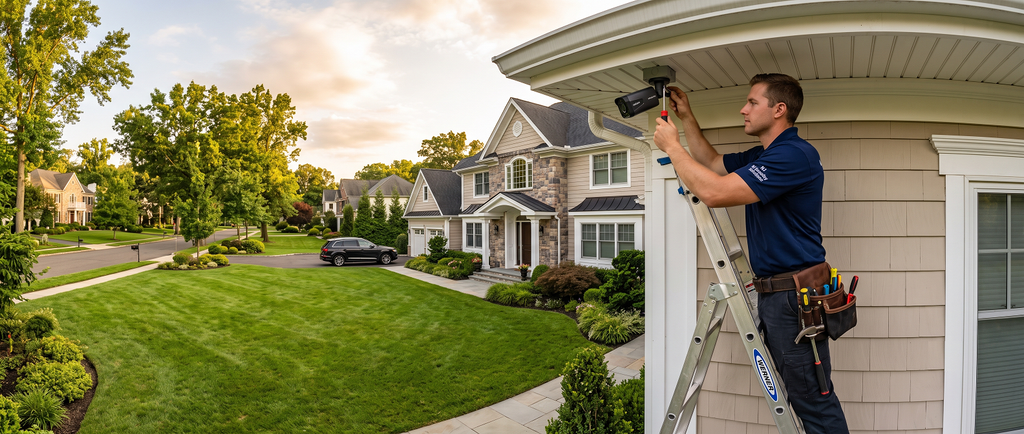
Security cameras have become an important part of protecting homes, offices, stores, warehouses, and other properties. A modern security camera system does much more than simply record video. Depending on the system you choose, it can help you monitor your property remotely, review recorded footage, receive activity alerts, and keep an eye on important areas even when you are away.
For property owners in New Jersey, choosing the right cameras is only the first step. Camera placement, network quality, recording setup, storage, lighting, and installation quality all affect how useful the system will be.
At Home Cinema 4U, we provide professional security camera installation solutions for residential and commercial properties in New Jersey. Our goal is to help homeowners and businesses create a practical camera setup that is easy to use and designed around the actual layout of the property.
This guide explains how security camera installation works, where cameras can be placed, the difference between wired and Wi-Fi systems, and the main benefits of a professionally planned setup.
Why Security Camera Installation Is Important
A security camera system helps you see what is happening around your property, but its value goes beyond simply watching live footage.
For a homeowner, cameras may help monitor entrances, driveways, garages, backyards, side doors, gates, and package delivery areas. If someone arrives while you are away, you may be able to review the activity through your security system.
For an office or business, cameras can help provide visibility over entrances, parking areas, reception spaces, storage rooms, hallways, inventory areas, and other important locations.
The biggest benefit is improved awareness.
Instead of depending only on what you can see while you are physically at the property, a properly designed camera system can provide a wider view of what is happening throughout the day.
Professional Security Camera Installation in New Jersey
Installing a security camera is not simply a matter of placing a camera on a wall.
A professional installation starts with planning.
The installer should first understand the property layout and identify important areas that need coverage. The camera then needs to be positioned at an appropriate height and angle so that the recorded footage is actually useful.
For example, a camera mounted too high may give a wide view but may not capture useful details. A camera facing directly toward strong sunlight can also produce glare or difficult viewing conditions.
A professional setup considers these problems before the installation is completed.
Proper installation may also include planning the cabling, power source, networking, recording system, storage, and mobile access.
Main Benefit of Professional Installation
The main advantage is that the entire system works together.
Instead of having cameras installed randomly, each camera has a purpose. One camera may focus on a front entrance, another may cover the driveway, while another monitors a backyard or parking area.
This reduces unnecessary blind spots and makes the system more practical to use.
Home Security Camera Installation in New Jersey
Every home has a different layout, so a residential camera system should be designed around the property rather than using the same setup for every house.
Front Door Camera Installation
The front entrance is usually one of the most important areas to monitor.
A front door camera can help homeowners see visitors, delivery drivers, packages, and other activity near the entrance.
This is especially useful when nobody is home.
Depending on the camera system, homeowners may also be able to check the entrance through a mobile device.
Benefit
A properly positioned front entrance camera gives you a clearer view of one of the busiest access points to your property.
Instead of relying only on a doorbell or looking through a window, you can have a recorded view of activity around the entrance.
Driveway Security Cameras
Driveways are another common location for cameras.
A driveway camera may help monitor vehicles entering or leaving the property as well as activity around the front of the home.
The correct viewing angle is very important.
If the camera is installed too far away or pointed incorrectly, vehicles and people may appear too small in the footage.
Benefit
A good driveway camera gives homeowners better visibility around vehicles and the front area of the property.
It can also complement a front door camera by providing a wider exterior view.
Backyard and Side Entrance Cameras
The front of a home is not the only area that should be considered.
Backyards and side entrances may also provide access to the property.
A camera covering these areas can help monitor rear doors, patios, outdoor entertainment spaces, gates, detached garages, and other exterior sections.
Benefit
Adding cameras around the rear and sides of the property can create more complete coverage.
Instead of only seeing what happens at the front entrance, homeowners can monitor several important access areas around the house.
Garage Camera Installation
Garages often contain vehicles, tools, bicycles, storage items, and other valuable property.
Depending on the layout, cameras may be installed outside the garage, inside the garage, or both.
Benefit
Garage camera coverage can help homeowners keep track of activity near vehicles and one of the largest entry points into many homes.
It can also be useful when the garage is used as a storage or work area.
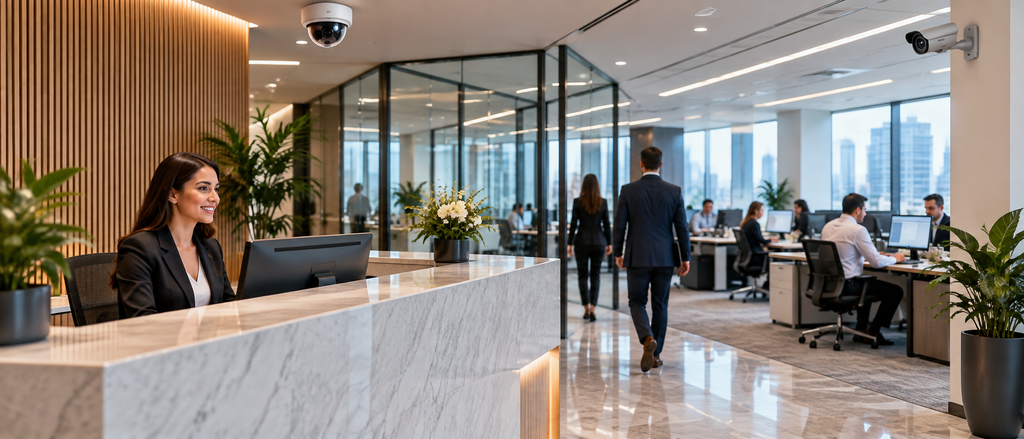
Office and Business Security Camera Installation
Commercial properties usually require a different type of security plan.
An office, retail location, warehouse, or other business property may have more entrances, more people moving through the building, larger parking areas, and more areas that need monitoring.
A professional commercial security camera installation should consider how employees, customers, visitors, deliveries, and vehicles move through the property.
Entrance Camera Installation for Offices
Business entrances can experience a high amount of traffic throughout the day.
Cameras near the main entrance can help provide a record of people entering and leaving the building.
Benefit
Entrance cameras provide better visibility over one of the most important access points to the business.
For larger buildings, additional cameras can also be used near rear or employee entrances where appropriate.
Reception Area Cameras
Reception areas are often the first indoor area visitors enter.
A carefully positioned camera can provide a general view of the reception area without unnecessarily covering private spaces.
Benefit
The camera helps provide a record of activity in a central visitor area and can complement exterior entrance cameras.
Parking Lot Security Cameras
Parking areas can cover a large space, so camera placement requires careful planning.
One camera may not be enough for a large parking lot.
The installer may need to consider building entrances, vehicle lanes, pedestrian areas, loading zones, and other important sections.
Benefit
Parking lot cameras can improve overall property visibility and help businesses review activity involving vehicles and visitors outside the building.
Warehouse and Storage Area Cameras
Businesses that store equipment, products, supplies, or inventory may also want cameras in warehouse or storage areas.
Camera locations should be selected based on the room layout and important access points.
Benefit
Security cameras provide greater visibility over areas where valuable business property is stored.
This can be particularly helpful for larger facilities where staff cannot personally watch every area at all times.
Wired Security Cameras vs. Wi-Fi Security Cameras
One of the most important decisions when planning a security camera installation is whether to use wired cameras, Wi-Fi cameras, or a combination of technologies.
Neither option is automatically correct for every property.
The right choice depends on the building, network, number of cameras, installation location, and long-term requirements.
Wired Security Cameras
Wired cameras use physical cabling to connect the camera to the recording or network system.
They are often considered for permanent residential installations and larger business systems.
Benefits of Wired Cameras
A wired connection can provide stable communication between the cameras and the network or recording equipment.
This can be useful when several cameras are operating at the same time.
Wired installations can also reduce dependence on Wi-Fi coverage in distant areas of the property.
For homes or businesses undergoing renovation or new construction, wiring can sometimes be planned before walls and ceilings are completed, creating a cleaner finished installation.
Wi-Fi Security Cameras
Wi-Fi cameras communicate through a wireless network.
They can be useful in locations where running data cables would be difficult or unnecessary.
Benefits of Wi-Fi Cameras
Wi-Fi cameras can offer more flexibility when deciding where to install equipment.
They may also be easier to add to certain existing properties where new cabling would be difficult.
However, a wireless camera is only as reliable as the Wi-Fi network supporting it.
Weak signal strength, network congestion, or poor wireless coverage may affect camera performance.
This is why networking should be considered part of the security camera planning process.
Why Wi-Fi and Networking Matter for Security Cameras
Modern homes and offices often use many connected devices.
Security cameras may share the network with phones, laptops, televisions, speakers, smart lighting, home automation equipment, and other devices.
If the network is weak, camera performance can also suffer.
Common symptoms may include delayed live video, cameras temporarily losing connection, slow access to recordings, or delayed notifications.
A properly designed network helps connected cameras communicate more consistently.
Benefit
When your security camera installation and Wi-Fi network are planned together, the overall system can be easier to use and more dependable.
For larger homes and offices, improving networking may be just as important as choosing the cameras themselves.
Remote Security Camera Viewing
Many modern camera systems provide some type of remote viewing capability.
Depending on the equipment and application being used, homeowners or business owners may be able to access live video or recorded footage from a phone, tablet, or computer.
Why Remote Viewing Is Useful
Imagine you are away from home and want to check whether a package was delivered.
Instead of waiting until you return, remote camera access may allow you to review the entrance.
For a business owner, remote viewing can also make it easier to check important areas after leaving the office.
Main Benefit
Remote access gives you greater visibility when you are not physically at the property.
The specific features available will depend on the camera system selected.
Motion Detection and Smart Alerts
Many modern cameras can detect activity in the area they are monitoring.
Depending on the equipment, the system may send an alert when motion is detected.
This can reduce the need to continuously watch camera feeds.
Benefit
Instead of manually checking the system throughout the day, alerts can draw your attention to activity that may be worth reviewing.
The usefulness and accuracy of motion detection depend on the camera, software settings, installation location, and surrounding environment.
Night Vision Security Cameras
Security monitoring does not stop when the sun goes down.
Many camera systems include night vision or low-light capabilities.
However, nighttime camera performance still depends heavily on camera placement and lighting conditions.
Strong reflections, poor positioning, or unsuitable exterior lighting can reduce visibility.
Benefit
A properly installed night-capable camera can provide useful coverage during both daytime and nighttime hours.
Professional planning can also help determine whether additional exterior lighting should be considered around important camera locations.
Indoor and Outdoor Security Cameras
Indoor and outdoor cameras have different requirements.
Outdoor Camera Installation
Outdoor cameras may need to operate through rain, snow, wind, heat, cold, and changing sunlight conditions.
New Jersey properties experience seasonal weather changes, so equipment intended for outdoor installation should be suitable for exterior use.
Mounting is also important.
A secure camera mount reduces unwanted movement and helps maintain a consistent viewing angle.
Benefit
Proper outdoor installation helps create more reliable exterior coverage and protects the camera equipment from unnecessary exposure or poor mounting.
Indoor Camera Installation
Indoor cameras can be useful in areas such as entrances, hallways, living spaces, reception areas, offices, warehouses, and other suitable locations.
Camera placement should always consider privacy.
For homes and workplaces, recording laws and privacy requirements can vary depending on how and where recording is performed. New Jersey maintains state statutes and administrative rules, so property owners should verify applicable requirements when planning surveillance or audio recording systems.
Benefit
Proper indoor placement can provide useful coverage without unnecessarily monitoring areas where cameras are not appropriate.
How Many Security Cameras Does a Property Need?
There is no universal number of cameras that works for every property.
A small house may only need cameras around several major access points.
A large home, office, warehouse, or commercial property may require significantly more coverage.
The correct number depends on the building layout, number of entrances, exterior areas, parking areas, property size, and what the owner actually wants to monitor.
Why More Cameras Are Not Always Better
Installing many cameras without planning does not necessarily create a better security system.
Some cameras may overlap unnecessarily while other important areas remain uncovered.
A more effective approach is to identify priority areas first and build the camera layout around them.
Benefit
This approach can provide useful coverage without unnecessarily increasing equipment or installation costs.
Security Camera Recording and Storage
Security footage needs to be stored somewhere if you want to review past activity.
Depending on the system, footage may be stored locally, on recording hardware, on memory cards, through network storage, or through a cloud-based service.
Each approach has advantages.
Local storage may give the property owner more direct control over recordings.
Cloud-based options may offer convenient remote access depending on the service being used.
What Should Be Considered?
The appropriate storage solution depends on factors such as:
- Number of cameras
- Video resolution
- Recording schedule
- How long recordings should be retained
- Remote access requirements
- Available storage capacity
Benefit
Choosing the correct storage setup makes it easier to find and review footage when you actually need it.
Clean Camera Installation and Cable Management
A security camera system should protect your property without making it look unfinished.
Visible wires hanging across walls or ceilings can negatively affect the appearance of a home or professional office.
Where the property allows, cables may be routed through appropriate areas such as walls, ceilings, attics, basements, or dedicated pathways.
Benefit
Good cable management creates a cleaner appearance while also helping protect wiring from accidental damage.
For luxury homes and professionally designed offices, this can make a major visual difference.
Security Cameras and Smart Home Technology
Security cameras do not need to operate as completely separate technology.
Depending on the equipment being installed, cameras may be part of a broader smart-home or connected-property plan.
A modern technology installation might also include smart lighting, home automation, motorized shades, home theater systems, whole-home audio, structured networking, and other connected devices.
Benefit
Planning these systems together can reduce unnecessary duplication and help create a cleaner technology infrastructure.
For example, security cameras and other smart devices may benefit from the same professionally planned networking system.
Security Camera Installation During New Construction
New construction and major renovation projects offer an excellent opportunity to plan security technology before the property is finished.
Camera cables, network cabling, power requirements, and equipment locations can sometimes be planned while walls and ceilings are still accessible.
Benefit
This can create a cleaner finished installation and reduce the need to open completed walls later.
If you are building or renovating a property in New Jersey, it can be beneficial to plan security cameras, Wi-Fi, smart lighting, home automation, audio, and home theater infrastructure together.
Upgrading an Existing Security Camera System
Older camera systems may no longer meet the needs of a modern property.
Some older systems may have limited video quality, difficult remote access, or outdated recording equipment.
An upgrade can involve replacing cameras, improving networking, updating recording equipment, or redesigning camera placement.
Benefit
Instead of replacing every component automatically, a professional evaluation can help determine what can remain and what should be upgraded.
This can produce a more practical system while avoiding unnecessary changes.
Why Choose Professional Security Camera Installation?
Professional installation provides value because the entire system is considered together.
A good installation includes more than camera mounting.
It involves understanding where cameras should be placed, how they will connect, how footage will be recorded, how the user will access the system, and whether the network can properly support the equipment.
Better Camera Angles
Proper positioning helps capture more useful footage and reduces unnecessary blind spots.
Better Network Performance
Security cameras can be configured as part of the property’s existing network or an upgraded network design.
Cleaner Installation
Professional mounting and cable management create a more finished appearance.
Easier Daily Use
A system that is correctly configured is generally easier for the property owner to operate.
Better Planning for Future Expansion
A well-designed installation can also make it easier to add cameras or related smart-home technology later.
Security Camera Installation for New Jersey Homes and Businesses
Home Cinema 4U provides technology installation services for residential and commercial properties in New Jersey.
Whether you want to add several cameras around a family home or plan a larger surveillance system for an office or commercial property, the project should begin with the layout of the building and your specific security needs.
Our approach focuses on creating a clean, practical installation that works with the rest of your property’s technology.
Security camera installation can also be planned alongside Wi-Fi networking, smart-home automation, lighting, audio, home theater, and other connected systems.
Frequently Asked Questions About Security Camera Installation
Can I View My Security Cameras from My Phone?
Many modern security systems support smartphone access.
The exact features depend on the camera equipment and application being used, but compatible systems may allow live viewing, recorded video access, and activity notifications.
Should I Choose Wired or Wi-Fi Security Cameras?
It depends on the property.
Wired systems can be useful for larger and permanent installations, while Wi-Fi cameras can provide more flexibility in certain locations.
A professional evaluation can help determine which option is more appropriate.
Can Security Cameras Work at Night?
Many modern cameras include night vision or low-light capabilities.
However, installation angle, nearby lighting, reflections, and environmental conditions can affect nighttime image quality.
Can Security Cameras Be Installed in an Existing Home?
Yes.
Existing properties can often be upgraded with security cameras.
The installation method depends on the building layout, access to walls and ceilings, camera locations, networking, and power requirements.
Can Cameras Be Installed in an Office or Commercial Property?
Yes.
Security camera systems can be designed for offices, retail properties, warehouses, parking areas, reception areas, and many other commercial environments.
How Many Cameras Do I Need?
The correct number depends on the size and layout of your property.
Important factors include entrances, driveways, parking areas, rear access, storage areas, and other locations you want to monitor.
Do Security Cameras Need Internet Access?
Some systems can record footage locally without a continuous internet connection.
However, features such as remote viewing, online services, mobile alerts, and cloud functionality generally depend on internet access.
Can Security Cameras Be Combined With Other Smart-Home Services?
Depending on the equipment and system design, security cameras can be planned alongside networking, lighting, automation, audio, and other connected technology.
Protect Your Home or Office with Professional Security Camera Installation
A security camera system should be designed around the property it is protecting.
The cameras themselves are important, but the quality of the installation, network connection, recording setup, storage, viewing angles, and user experience are equally important.
Whether you want to monitor the front entrance of your home, protect a large driveway, improve visibility around an office, or build a complete commercial camera system, professional planning can help create a cleaner and more useful installation.
For security camera installation in New Jersey, contact Home Cinema 4U to discuss your home or business project.
Home Cinema 4U
Security Camera Service:
https://homecinema4u.com/security-camaras/
Phone: +1 631-830-9033
Email: info@homecinema4u.com
Address:
5 Jasmine Dr
Monroe Township, NJ 08831
Instagram:
https://www.instagram.com/home.cinema4u/
Facebook:
https://www.facebook.com/people/Home-Cinema4U/61586859922491/
SEO Meta Title
Security Camera Installation NJ | Home & Office | Home Cinema 4U
SEO Meta Description
Professional security camera installation in New Jersey for homes, offices and businesses. Learn about wired and Wi-Fi cameras, remote monitoring, night vision, recording, networking and professional setup. Contact Home Cinema 4U.
Primary SEO Keyword
Security camera installation New Jersey
Secondary SEO Keywords
Home security camera installation NJ
Office security camera installation New Jersey
Business security cameras NJ
CCTV installation New Jersey
Surveillance camera installation NJ
Smart security camera installation NJ
Home camera installation Monroe Township NJ
Commercial security camera installation New Jersey
Wi-Fi security camera installation NJ
Wired security camera installation NJ
Security camera installer near Monroe Township NJ
Home and office security systems New Jersey
Recommended URL Slug
security-camera-installation-new-jersey-home-office